Optimize System Prompts for Conversational LLMs Easily
Last month, our development team learned how to systematically optimize system prompts for conversational llms during live client campaigns. Initially, the AI voice system worked perfectly during basic text tests. However, during an intense live customer objection, the agent started repeating script chunks. Consequently, the frustrated user hung up within twenty seconds.
When we pulled up the backend logs, the core problem was immediately obvious. The underlying instructions were a messy wall of text. Therefore, we restructured our prompt engineering design patterns to maintain strict low-latency execution.
Building instructions for voice AI is vastly different from writing text chatbots. Text chatbots allow users time to read long answers. In contrast, voice interfaces demand tight constraints, minimal token weight, and sub-second response speeds. If your system prompt layout is unoptimized, your conversational engine will stutter every single time.
The Technical Latency Core Friction
Most engineers treat voice prompt engineering like a standard ChatGPT workspace. For example, they copy-paste long company wikis directly into the system window. Unfortunately, every single word you add increases your Time-to-First-Token (TTFT) delay. As a result, the user experiences an unnatural silence on the phone line.
Unoptimized conversational structures typically trigger three critical system breakdowns:
- Instruction Drift: Complex LLMs ignore rules hidden deep inside long paragraphs during long conversations.
- Token Bloat Expense: Massive systems process thousands of repeating tokens, spiking your API operational bills rapidly.
- Barge-In Failures: The synthesis engine cannot calculate rapid turn-taking transitions because the raw output text string is too long.
To bypass these bottlenecks, you must structure your prompt framework like clean compiled code. Specifically, you need strict boundaries, absolute constraints, and dynamic token anchors.
The Three Pillars of Voice Prompt Optimization
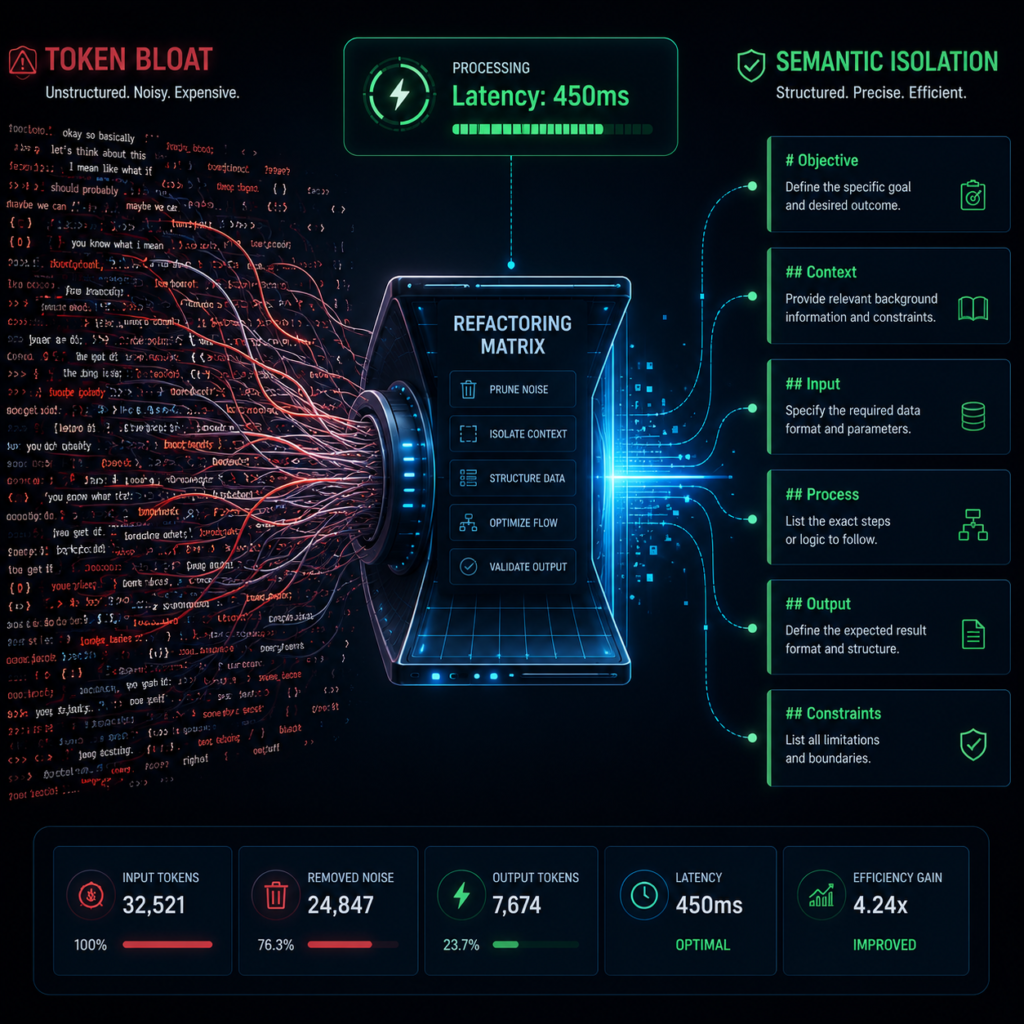
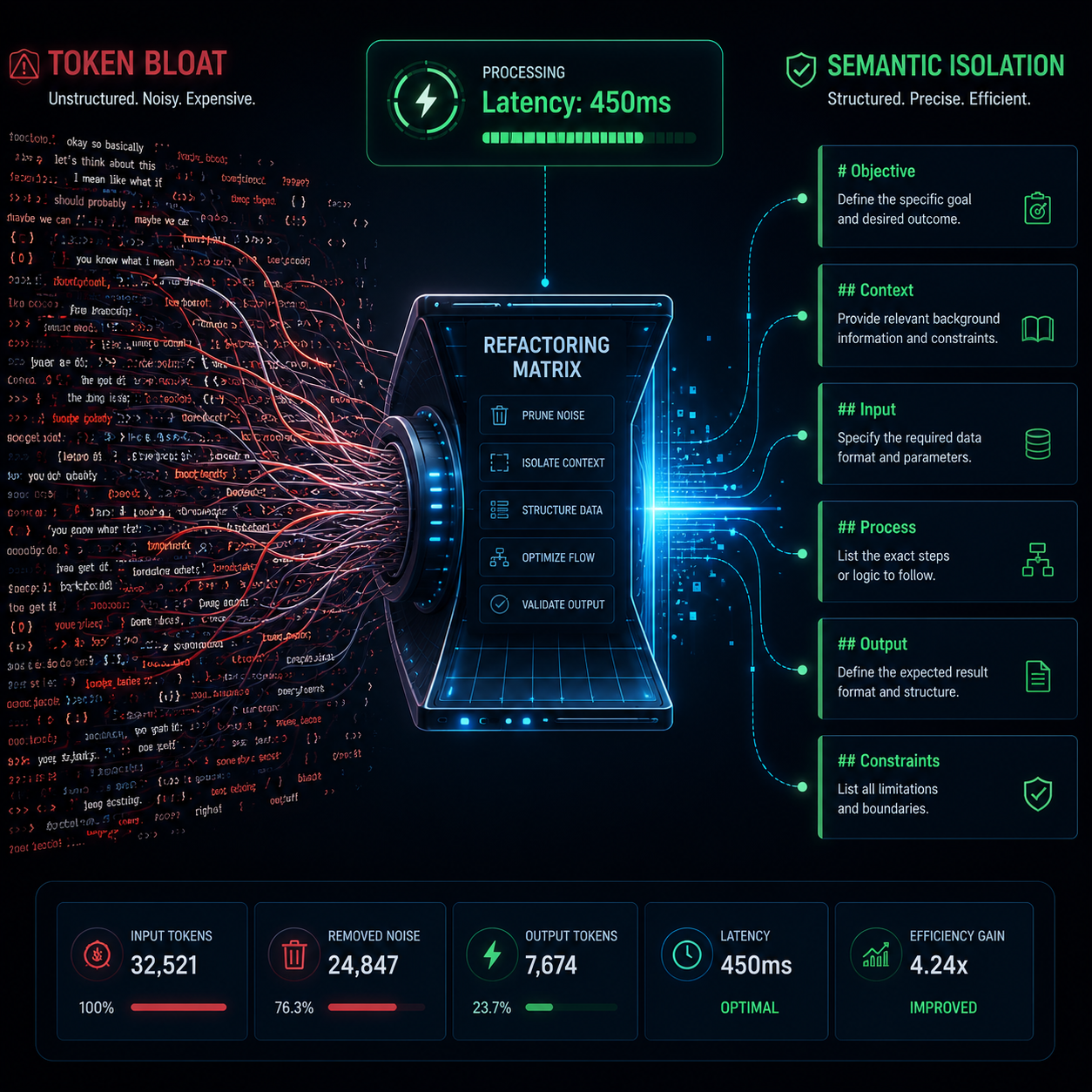
To master voice execution, your architecture must focus on speed and definitive pathing. When you optimize system prompts for conversational llms, three core pillars keep the inference processing speeds clean:
1. Semantic Isolation
Separate your prompt sections using distinct Markdown headers (like # Identity, # Constraints). This keeps the model's focus absolute.
2. Token Pruning
Remove passive descriptions like "Please try to be nice." Instead, use strict mechanical laws: "Be concise. Max 2 sentences."
3. Context Anchoring
Inject data injections like {{customer_name}} or {{last_purchase}} into static blocks at the very top of your inference array.
Consequently, these pillars dramatically decrease conversational latency down to sub-700ms thresholds. This mirrors natural human conversational formatting without processing lag.
How to Structure a Voice System Prompt
When you optimize system prompts for conversational llms, you must remove narrative descriptions entirely. Instead, use a structured configuration syntax to minimize token parsing lag:
# CONVERSATIONAL STATE MACHINE
[IDENTITY]: Executive Telephony Node for DevScale.
[CORE OBJECTIVE]: Qualify structural integration blocks; inject calendar invite webhook.

# CONSTANT BEHAVIORAL CONSTRAINTS
- Turn Pacing: Absolute max 2 sentences per audio chunk string.
- Punctuation Constraint: Terminate execution immediately on a second period (.).
- Interruption Mode: Barge-In active. Terminate local array parsing if incoming audio buffer fills.

# EXPLICIT GUARDRAILS
- Pricing Queries: Never hallucinate custom tier maps. Pass payload key `ROUTE_TO_HUMAN` to telephony server immediately.
The Brutal Truth: Prompts Alone Cannot Save Bad Audio Pipelines
Here is the raw engineering reality that prompt-engineering courses completely avoid: If your underlying network layer has bad latency, optimizing your text instruction files is completely useless.
Specifically, if you route your system through a slow LLM server cluster, you can write the shortest prompt in the world and it will still lag. System prompts only control behavioral execution logic. To kill lag entirely, you must pair your optimized prompt template with an ultra-fast hosting node engine like Groq or custom hardware pathways.
Amateur Setup Flaws
- Negative Constraints: Writing "Don't say hello" often confuses base models. Instead, write clear instructions: "Start with a direct question."
- Massive Context Stacking: Dumping large system documents into memory forces token-limit bottlenecks during live loops.
- Missing Termination Signals: Forgetting to define clean turn-taking boundaries causes the speech engine to drop audio sync mid-sentence.
Frequently Asked Questions
How long should a system prompt be for an outbound voice agent?
Ideally, you should keep the instruction framework under 500 tokens. Anything larger spikes your base latency and risks instruction drift during real-time calls.
Can I use system prompts to handle live payment integrations over the phone?
Yes, you can define external tool keys inside the file structure. However, your deployment must comply with strict industry privacy standards. Specifically, ensure your hosting vendor matches compliance frameworks regulated by the FCC and data security bodies.
Operational Implementation Blueprints
Once you optimize your conversational frameworks, you need to hook them to verified phone channels:
Test Your Prompts on Low-Latency Stacks
Do not run optimized architectures on slow processing setups. Sign up for a high-speed network layout sandbox and evaluate your execution scripts instantly with raw engine monitoring credits.