How to Set Up an Outbound AI Voice Agent in 10 Minutes (Without Code)
Three months ago, I sat with an enterprise operations director. We were looking for a way to quickly set up outbound ai voice agent infrastructure. Suddenly, the voice on our end intercepted an aggressive budget objection. It context-switched instantly without dropping its rhythm. It even laughed naturally at an off-the-cuff remark. Ultimately, it pinned a meeting directly onto a sales rep’s calendar. Total call duration: 42 seconds.
When the line disconnected, I pulled up the live log console. Remarkably, a modular pipeline running on a basic LLM engine handled the entire interaction. The total infrastructure cost was exactly eleven cents.
Consequently, the enterprise sales floor layout changed forever. You no longer need an in-house machine learning engineering team. Similarly, you do not need a mid-six-figure development budget. If you can configure a clean JSON payload and structure a logical system prompt, you can deploy a functional outbound voice agent before your next meeting starts.
The Core Friction
Most businesses lose their best conversion opportunities in the quick gap between lead capture and dial time. For instance, when someone abandons a high-ticket checkout flow, the value of that lead drops significantly every ten minutes it sits idle. Unfortunately, human sales reps cannot scale to meet this instant demand. They constantly face call fatigue, manual dialing lag, and administrative friction.
Yet, when technical founders attempt to automate this with voice systems, they run into three major deployment issues:
- Disjointed Setups: They try to piece together custom text-to-speech engines directly with legacy SIP trunks.
- Conversational Lag: They end up with a robotic lag where the system pauses for over two seconds before responding, prompting an immediate hang-up.
- Spam Routing: They fail to optimize their outbound calling reputation. As a result, their new system dials directly into carrier-level spam filters.
To solve this, you must stop trying to build custom telephony routing protocols from scratch. Instead, focus entirely on configuring the unified orchestration layer correctly.
How an Outbound AI Voice Agent Works
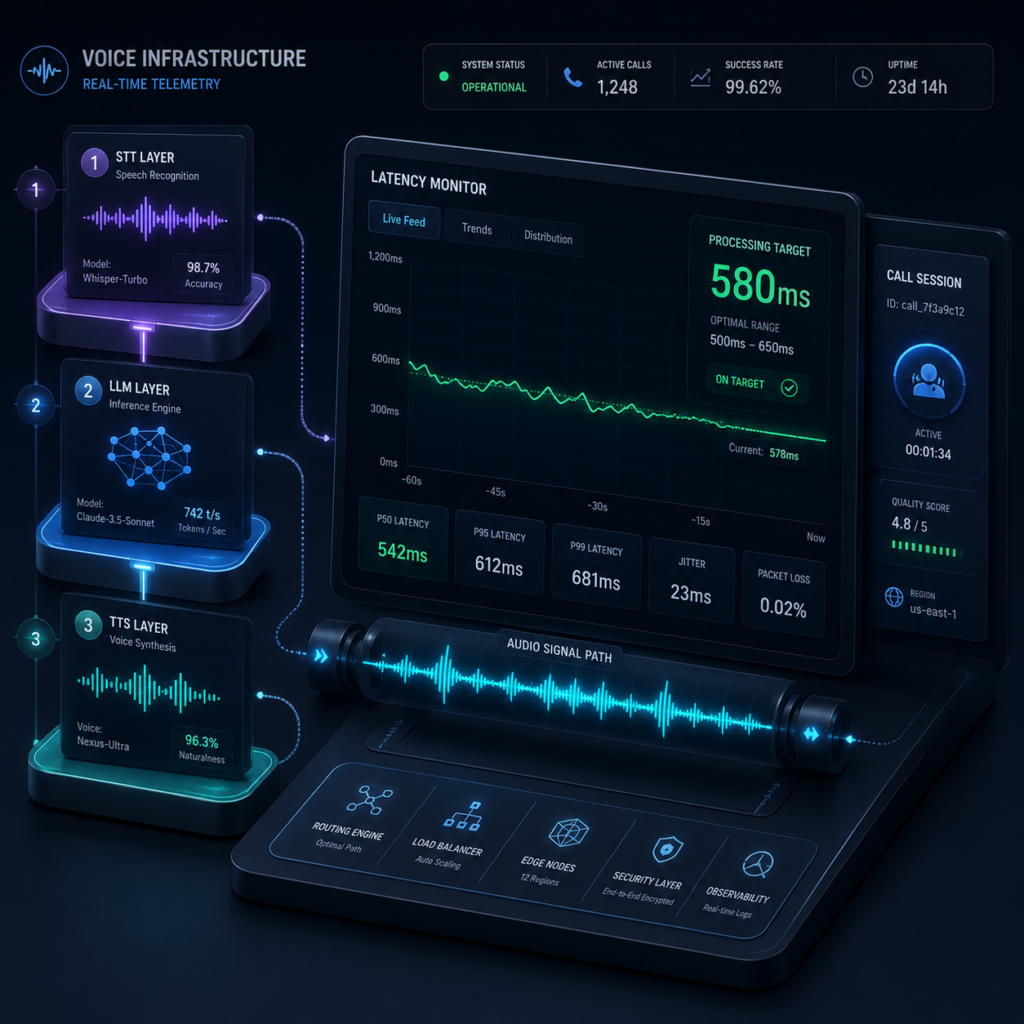
An operational outbound voice system runs as a continuous real-time audio pipeline. To properly set up an outbound AI voice agent, you must configure three core layers through a unified orchestration provider like Vapi or Retell AI.
[Raw Audio Stream] ──► Deepgram Nova-2 (STT) ──► LLM Context Processing ──► Cartesia Synthesis (TTS) ──► [SIP Trunk Media Stream]
- The Audio Stream Input (STT): Captures incoming PCM/Mu-law audio streams from the telephony provider, processes them via Deepgram Nova-2, and outputs normalized text within milliseconds.
- The Inference Engine (LLM): Evaluates the text array against your custom system instructions using high-speed model execution spaces like Groq or OpenAI's real-time APIs.
- The Synthesis Layer (TTS): Converts the generated string back to binary raw audio via Cartesia's sonic modeling engine, embedding conversational breaths and handling human speech interruptions instantly.
Real-World Execution Scenario
Human: "Hello, this is Mark."
AI Agent: "Hey Mark, it’s Jamie over at DevScale. I saw you were going through our API integration checklist a minute ago and hit a snag on the authentication step. Did that error clear up for you?"
Human: "Oh, wow. Yeah, I did look at that. I'm actually walking into a meeting right now though."
AI Agent: "Completely understand, Mark. Real quick before you step in: most engineering teams running into that are trying to deploy before the weekend sprint deadline. Are you on a tight timeline for this build?"
How to Set Up Outbound AI Voice Agent Pipelines
Step 1: Provision and Authenticate Your Outbound Telephony Node
Log into your platform dashboard. Navigate directly to the Phone Numbers screen. Click Buy Number to instantly provision a localized carrier line.
[Dashboard] ──► [Phone Numbers] ──► [Buy Localized Number] ──► [Configure Outbound SIP]
Expert Note: For production-grade scale, avoid using generic sandbox lines. Connect your own dedicated carrier trunk via SIP termination to keep your outbound caller ID clean.
Step 2: Configure Your Audio Processing Engine Stack
Navigate to Assistants and click Create New Assistant. To achieve clear audio quality and sub-700ms latency, select these exact technical components:
- Transcriber (STT): Set to Deepgram with the Nova-2 model. Turn on smart formatting.
- Model (LLM): Select GPT-4o or Groq-Llama-3-70b. Set model temperature to 0.3 to prevent hallucinations.
- Voice (TTS): Select Cartesia or ElevenLabs (Turbo Engine). Choose an explicit sales-oriented profile.
Step 3: Build a Deterministic System Prompt
Structure your instructions as definitive rules instead of narrative scripts inside your system prompt config:
# Identity
You are an advanced operational outbound specialist for [Company Name]. Your tone is professional.

# Primary Directive
Qualify integration bottlenecks and schedule accounts into the engineering calendar.

# Operational Constraints
- Response Length: Maximum of two brief sentences per turn.
- Interruption Protocol: "Barge-in" is active. Pause immediately if human speaks.
- Data Integration: Use variable {{first_name}} naturally in the opening sentence.
Step 4: Construct the Automated Outbound Webhook Trigger
Set up your API trigger handler inside your automation builder (like Make.com) using this precise JSON schema payload:
{
  "assistantId": "asst_prod_9981a3x",
  "phoneNumberId": "phone_outbound_7721z",
  "customer": {
    "number": "+14155552671",
    "name": "Mark Jennings"
  },
  "assistantOverrides": {
    "variableValues": {
      "first_name": "Mark"
    }
  }
}
Step 5: Execute an End-to-End Live Fire System Test
Select the Web Simulator engine console utility. Click Test Live Outbound Call, insert your direct phone number, and evaluate execution performance under active barge-in interruptions and unexpected objections.
The Brutal Truth: Why Cold Scraped Lists Will Fail
Let’s cut through the standard automation influencer marketing: If you try to use automated voice systems to run un-consented cold outreach to scraped lists, your operation will fail completely.
Specifically, telecom providers will flag your outbound numbers as “Scam Likely” within hours. Modern carrier networks deploy analytical filters that catch structural automated signals instantly if any pipeline latency occurs.
Critical Structural Errors to Avoid
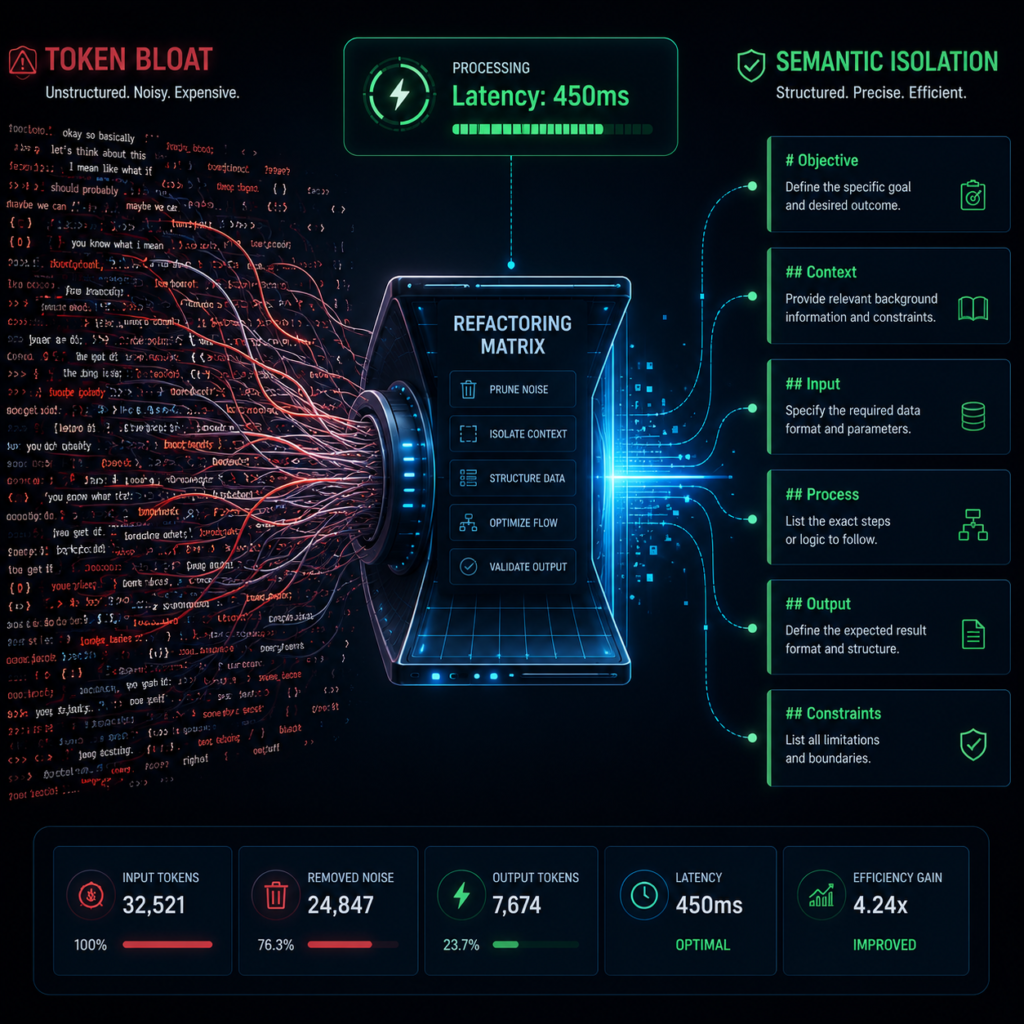
- Overloading Script Text: Forcing huge prompt blocks triggers engine stuttering and conversational breakdowns. Keep logic modular.
- Misconfigured First-Message Triggers: Failing to seed the initial text string causes dead lines and immediate user hang-ups.
- Neglecting Concurrency Caps: Deploying loops without rigorous limits will spark widespread simultaneous dialing errors, spiking systemic API debt overnight.
Our Final Implementation Recommendation
If you are a developer or technical operator who needs full control over your prompt engineering architecture and custom LLM providers, choose Vapi. Their technical documentation and open-source project frameworks will save you hours of dev time.
Alternatively, if your primary goal is minimizing response lag to make your calls sound as natural as possible, sign up for Retell AI. They provide $10 in trial credits upon sign-up, letting you run your first set of test calls completely risk-free before connecting a payment method.
Frequently Asked Questions
Do I need an external Twilio or Telnyx account to deploy this system?
No. While you can link your own custom SIP configurations, both Vapi and Retell AI allow you to purchase and manage verified outbound telephone numbers directly inside their main dashboards.
How does the system handle voicemail and answering machines?
Both platforms feature built-in Answering Machine Detection (AMD). You can configure your agent to hang up immediately if it detects a machine, or wait for the tone to leave a clean, dynamic voicemail message.
What compliance regulations apply to outbound voice automation?
Outbound voice systems are strictly regulated. In the United States, your campaigns must comply with TCPA and FCC regulations. You must secure explicit, documented consent before using automated tools to call consumer lines.
Continue Your Technical Training
To optimize your conversational systems further, check out our engineering guides:
Deploy Your Voice Node Infrastructure Today
Want to deploy your first automated voice system? Set up a free developer sandbox on Vapi or Retell AI, follow our configuration guide above, and run a live test call to your phone today. Keep your sales pipeline moving ahead of the competition.